Edit PDF Text, Images, and Annotations in the Browser
Add text, drawings, and shapes to a PDF without installing any software.
You receive a PDF form with blank lines but no fillable fields. The old workflow is print, write by hand, scan, and hope the scan is readable. That takes fifteen minutes and still looks rough.
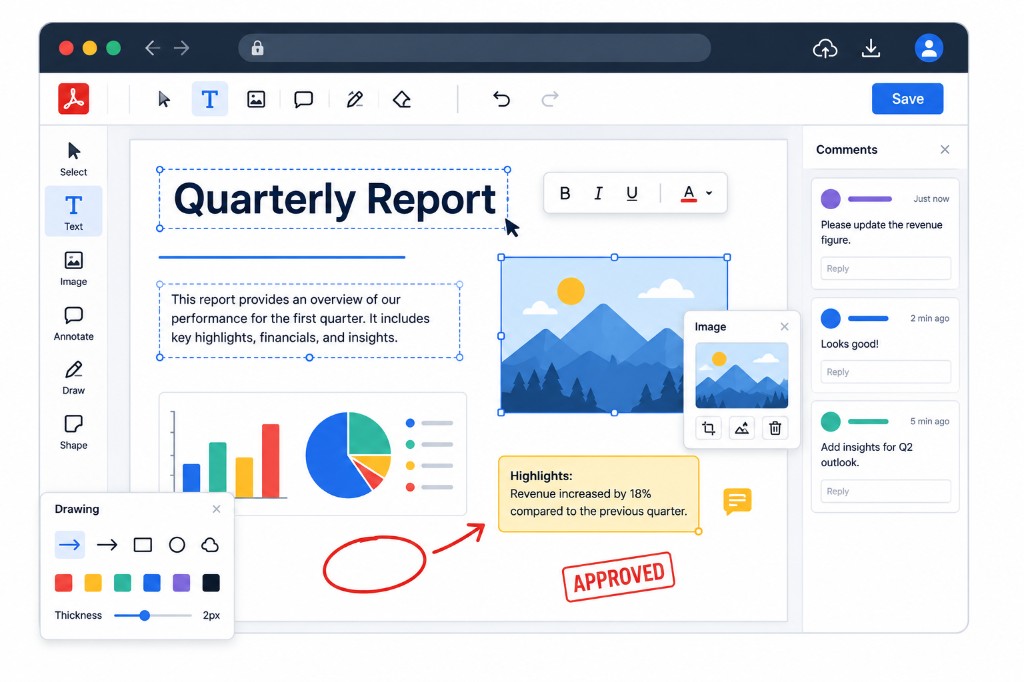
Edit PDF adds a layer on top of each page so you can type, drop images, draw shapes, and annotate. Upload the file, pick a tool, click where you want content, and download when finished. Undo and redo work normally, so experimenting is safe.
This is overlay editing, not rewriting the document's core text. Perfect for dates, checkmarks, initials, short notes, and logos on a form. For rewriting whole paragraphs or fixing tables, convert with PDF to Word, edit in Word, then export with Word to PDF.
Processing stays in your browser. Contracts, internal memos, and personal forms never leave your device during editing. When you download, your additions are baked into the PDF permanently.
Pair with Sign PDF when you need a handwritten-style signature instead of typed text on a line.